
Telehealth
Why Choose Virtual Pediatrics Telehealth?
At KidsPeds, we bring telehealth pediatric care straight to your home, ensuring high-quality care without long waits or unnecessary travel. Whether it’s a minor illness, follow-up, or general consultation, our pediatricians online are here to provide expert care with just a few clicks.
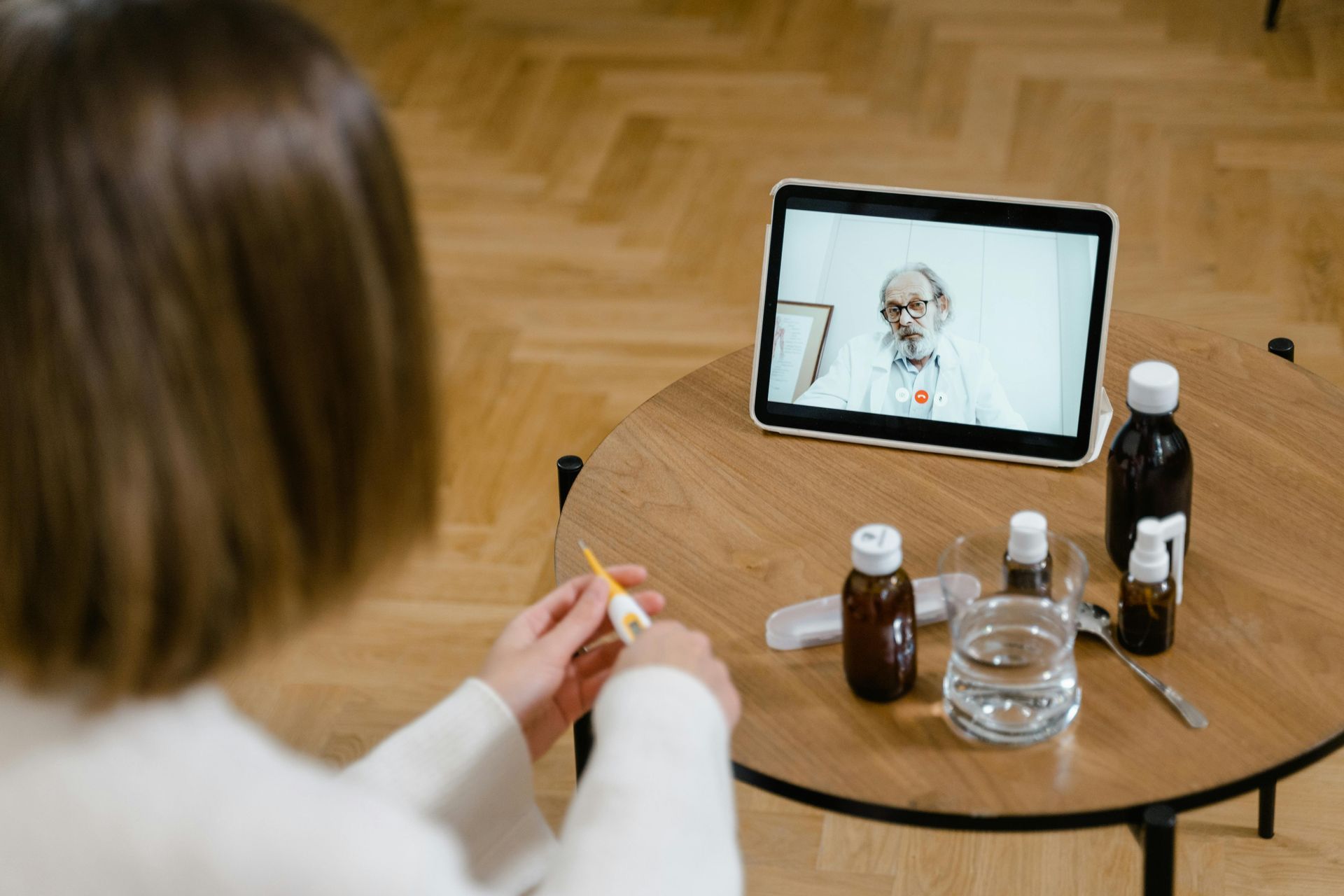
Virtual pediatrics telehealth provides a convenient and reliable way for parents to access expert pediatric care without the need for in-person visits. With immediate access to specialists, parents can get medical advice anytime.
The comfort of home eliminates the risk of exposure to germs. Additionally, telehealth saves time and money by removing the need for travel and long waiting room visits. With 24/7 availability and expert guidance just a click away, virtual pediatrics telehealth makes healthcare more accessible, efficient, and stress-free for parents and children alike. A few of the benefits of telehealth include:
Accessible & Convenient
Connect with a licensed pediatrician from anywhere.
Flexible Scheduling
Book appointments that fit your family’s schedule.
Reduced Exposure
Avoid unnecessary visits to clinics and hospitals, keeping your child safe from infections.
Comprehensive Pediatric Telehealth
From newborn care to adolescent health.
Safe & Secure
HIPAA-compliant video consultations ensure privacy.
Parental Peace of Mind
Get real-time advice and expert opinions from trusted pediatricians.
Before Your Appointment
- Have child practice opening their mouth wide for the camera with your flashlight
- If cough or difficulty breathing, check your child’s respiratory rate (count the breaths per minute) and heart rate (see FAQs below)
- Take several close-up photos of the rash to send (if requested).
- Write down all of the medicines your child has been taking, and when they last took a dose of ibuprofen or acetaminophen
- Have current medications or inhalers/spacers available for viewing during the visit
- Write down any questions you have, so you don't forget them during your telehealth visit
Different Types of Telehealth Appointments
We offer all types of telehealth visits. Let’s explore:
Sick Visits & Urgent care
When your child isn’t feeling well, a quick and effective pediatrician online consultation can make all the difference. Our online pediatric care services cover common concerns like:
- Colds, flu, and fevers
- Ear infections and sore throats
- Allergies and rashes
- Stomachaches and vomiting
- Pink eye and other mild infections
- Coughs and respiratory issues
- Minor injuries like sprains and cuts
Through pediatric care online, our doctors and nurse practitioners assess symptoms, recommend treatments, and prescribe medications if necessary – all from the comfort of home. You can discuss your child’s symptoms, receive immediate guidance, and gain access to professional healthcare without the stress of a clinic visit.
Follow-Ups & Chronic Condition Management
For children with ongoing health needs, pediatric telehealth is a game-changer. We provide follow-up care for:
- Asthma management
- ADHD evaluations
- Sleep disturbances
- Recurring headaches and migraines
- Diabetes check-ins
- Skin conditions
- Digestive issues
Managing chronic conditions requires consistency and expert guidance. With virtual pediatrics telemedicine, parents can ensure their children receive continuous and personalized care without unnecessary in-person visits. Our pediatricians can monitor symptoms, adjust medications, and offer lifestyle recommendations to improve your child’s well-being
Developmental & Preventative Health Visits
Early detection and prevention are key to your child’s health. With telehealth for children, we offer:
- Growth and nutrition counseling
- Behavioral and developmental assessments
- Parenting guidance for newborns and toddlers
- Vaccination consultations and education
- Mental health support
- Speech and language development assessments
- Sleep training tips and strategies
From checking developmental milestones to addressing behavioral concerns, our pediatric care online services ensure that every child receives the right guidance for optimal growth and well-being.
How KidsPeds Pediatrics Telehealth Works
Getting started with pediatric telehealth is simple and stress-free. Here’s how you can connect with a trusted pediatrician online:
- Book an Appointment: You can directly call the office to book an appointment.
- Complete Pre-Visit with Medical Assistant: Provide details about your child’s symptoms, medical history, and any concerns you have and receive a link.
- Connect with a Doctor or Nurse Practitioner: Log in to a secure video call from your device.
- Receive Expert Care: Discuss concerns, get a diagnosis, and receive a care plan tailored to your child's needs.
- Prescriptions & Follow-Ups: If necessary, receive prescriptions or schedule follow-ups for ongoing support.
The Future of Pediatric Telehealth
Telemedicine is revolutionizing the way pediatric care is delivered. With advancements in digital health technologies, virtual consultations are becoming more interactive, efficient, and personalized. At KidsPeds, we stay ahead of the curve by integrating:
- AI-powered symptom checkers for initial assessments.
- Digital prescriptions and health records for seamless care coordination.
The future is bright for pediatric telemedicine, and we are committed to making high-quality healthcare more accessible and effective for every child.
Personalized Pediatrics Care at Your Fingertips
Every child is unique, and so is their healthcare journey. That’s why virtual pediatrics telemedicine at KidsPeds is designed to cater to individual needs with personalized treatment plans, compassionate care, and expert guidance. Schedule a virtual visit today and experience hassle-free, high-quality pediatric care!
Telehealth FAQs
Find answers to commonly asked questions on telehealth.
How do I take a temperature?
When Does Your Child Have a Fever?
- Rectal, Forehead or Ear temperature:
- 100.4° F (38.0° C) or higher
- Oral (mouth) temperature: 100° F (37.8° C) or higher
- Under the arm (armpit) temperature: 99° F (37.2° C) or higher
- Caution: Ear temperatures are not accurate before 6 months of age
Where to Take the Temperature
- Rectal temps are the most accurate. Forehead temps are the next most accurate. Oral and ear temps are also accurate if done properly. Temps done in the armpit are the least accurate. Armpit temps are useful for screening at any age.
- Age under 3 months old (90 days old). An armpit temp is the safest and is good for screening. If the armpit temp is above 99° F (37.2° C), re-check it. Use a rectal reading. Reason: If young babies have a fever, they need to see a doctor now. New research shows that forehead temps may also be accurate under 3 months of age.
- Age 3 months to 4 years old. Rectal or forehead temps are accurate. An ear thermometer can be used after 6 months old. An armpit temp is good for screening if it is taken right.
- Age 4 years and older. Safe to take the temp orally (by mouth). Ear and forehead thermometers are also good.
- Digital (electronic) thermometers are easily found in stores. They do not cost very much. They can be used for rectal, armpit and oral temps. Most of them give an accurate temp in 10 seconds or less. The AAP suggests you replace any glass thermometer in the house with one of these products.
Rectal Temperature: How to Take
- Age: Birth to 4 years old
- Have your child lie stomach down on your lap. Another way is on the back with the legs pulled up to the chest.
- Put some petroleum jelly on the end of the thermometer and the anus.
- Slide the thermometer gently into the anus no more than 1 inch. If your child is less than 6 months old, put it in no more than ½ inch. That means until you can no longer see the silver tip.
- Be gentle. There should not be any resistance. If there is, stop.
- Hold your child still. Leave a digital thermometer in until it beeps (about 10 seconds).
- Your child has a fever if the rectal temp is above 100.4° F (38° C).
Armpit Temperature: How to Take
- Age: Any age for screening
- Put the tip of the thermometer in an armpit. Make sure the armpit is dry.
- Close the armpit by holding the elbow against the chest. Do this until it beeps (about 10 seconds). The tip of the thermometer must stay covered by skin.
- Your child has a fever if the armpit temp is above 99.0° F (37.2° C). If you have any doubt, take your child's temp by rectum or forehead.
Oral Temperature: How to Take
- Age: 4 years and older
- If your child had a cold or hot drink, wait 30 minutes.
- Put the thermometer under one side of the tongue towards the back. It's important to put the tip in the right place.
- Have your child hold the thermometer with his lips and fingers. Don't use the teeth to keep in place. Keep the lips sealed until it beeps (about 10 seconds).
- Your child has a fever if the temp is above 100° F (37.8° C).
Digital Pacifier Temperature: How to Take
- Age: Birth to 1 year. Only good for screening. Requires the baby to suck on it, which is not always possible.
- Have your child suck on the pacifier until it beeps (about 10 seconds).
- Your child has a fever if the pacifier temp is above 100° F (37.8° C).
Ear Temperature: How to Take
- Age: 6 months and older (not accurate before 6 months)
- This thermometer reads the heat waves coming off the eardrum.
- A correct temp depends on pulling the ear backward. Pull back and up if over 1 year old.
- Then aim the tip of the ear probe between the opposite eye and ear.
- Parents like this thermometer because it takes less than 2 seconds. It also does not need the child to cooperate. It does not cause any discomfort.
- Caution. Being outdoors on a cold day will cause a low reading. Your child needs to be inside for 15 minutes before taking the temp. Earwax, ear infections and ear tubes do not keep from getting correct readings.
Forehead (Temporal Artery) Temperature: How to Take
- Age: Any age
- This thermometer reads the heat waves coming off the temporal artery. This blood vessel runs across the forehead just below the skin.
- Place the sensor head at the center of the forehead.
- Slowly slide the thermometer across the forehead toward the top of the ear. Keep it in contact with the skin.
- Stop when you reach the hairline.
- Read your child's temp on the display screen.
- Note: some newer forehead thermometers don't need to slide across the forehead. Follow the box directions on how to take the temp.
- Used in more doctor's offices than any other thermometer.
- Parents like this thermometer because it takes less than 2 seconds. It also does not need the child to cooperate. It does not cause any discomfort.
- Caution: Forehead temperatures must be digital. Forehead strips are not accurate.
Copyright 2000-2020 Schmitt Pediatric Guidelines LLC
How do I take a pulse?
To take your child's pulse, you will need a watch with a minute hand or stopwatch app (easier) with the minutes and seconds displayed. Find a quiet place where your child can sit or lie comfortably.
If your child has just been active (running, jumping, crying, etc.), wait at least 5 minutes to allow the heart time to slow down and return to a normal beat.
To feel a pulse, you press two fingers — your index ("pointer") and middle fingers — onto a major artery in the body. Press gently. Never press with your thumb, as it has a pulse all its own and can throw off a reading. When you've located the pulse, you will feel a throbbing sensation.
There are several areas on the body to read a pulse, but in kids these are generally the easiest places:
- On the neck (carotid artery pulse). The carotid artery runs along either side of the throat (windpipe). Run your fingers about halfway down the neck and press gently to the left or right side of the windpipe (carefully avoiding the Adam's apple in teen boys). Press gently. You should feel the pulse. If not, try again or on the other side.
- On the wrist (radial pulse). This is the spot where most adults have their pulse taken. It can work well in kids, too. To find the right spot, place a finger at the base of your child's thumb and slide it straight down to the wrist. On the wrist, press gently to feel for the pulse. This works best if your child's hand is lying flat or bent slightly backward.
- In the armpit (axillary pulse). Press your fingertips into the armpit, feeling around for the arm bone. When you feel the arm bone beneath your fingers, you should also feel the pulse. This method works well for infants. · In the crease of the elbow (brachial pulse). This location works best for infants. Place your infant on his or her back with one arm flat along the baby's side (elbow crease facing up). In the crease of the elbow, gently place your fingers on the inside of the arm (the pinky side). Feel around for a pulse. Once you've located the pulse (feeling a "throbbing" or "beating" sensation on your fingers), begin counting the beats within a 30-second timeframe. After 30 seconds, stop. Take the number of beats (for example, 45 beats in a 30-second period) and double it.
So:
- 45 x 2 = 90 beats per minute. The heart rate for your child would be 90, which is within the normal range for most kids. (This is just an example; your child's heart rate may be different.)
If you don't feel comfortable taking a pulse this way, or have difficulty, there is another option. Many smartphone apps and Apple watches can give pulse readings simply by pressing a finger over the camera lens or watch. For a good reading, your child needs to be very still, so this method works best in older kids who are more cooperative.
How do I measure a respiratory rate?
Set a timer for 30 seconds and count the number of times your child’s chest rises. Double that number to get his respiratory rate.
If your baby or has any of the following symptoms, it could mean he’s having trouble breathing- please call us or 911 immediately:
- Bluish color around the mouth
- Pale or gray skin
- A grunting sound with each breath out
- Nose flaring
- Significant wheezing
- Upper chest sinks in with each breath
How To Weigh and Measure Your Child
To measure height accurately at home:
- Remove the child or teen’s shoes, bulky clothing, and hair ornaments, and unbraid hair that interferes with the measurement.
- Take the height measurement on flooring that is not carpeted and against a flat surface such as a wall with no molding.
- Have the child or teen stand with feet flat, together, and against the wall. Make sure legs are straight, arms are at sides, and shoulders are level.
- Make sure the child or teen is looking straight ahead and that the line of sight is parallel with the floor.
- Take the measurement while the child or teen stands with head, shoulders, buttocks, and heels touching the flat surface (wall). (See illustration.) Depending on the overall body shape of the child or teen, all points may not touch the wall.
- Use a flat headpiece to form a right angle with the wall and lower the headpiece until it firmly touches the crown of the head.
- Make sure the measurer’s eyes are at the same level as the headpiece.
- Lightly mark where the bottom of the headpiece meets the wall. Then, use a metal tape to measure from the base on the floor to the marked measurement on the wall to get the height measurement.
- Accurately record the height to the nearest 1/8th inch or 0.1 centimeter.
Measuring Weight Accurately At Home
- Use a digital scale. Avoid using bathroom scales that are spring-loaded. Place the scale on firm flooring (such as tile or wood) rather than carpet.
- Have the child or teen remove shoes and heavy clothing, such as sweaters.
- Have the child or teen stand with both feet in the center of the scale.
- Record the weight to the nearest decimal fraction (for example, 55.5 pounds or 25.1 kilograms).